
On multi-registration enabled sites, in cases where a registrant makes a general donation instead of a donation to a personal fundraising page created in the same transaction, as an Admin user, you have the ability to move this donation to the personal fundraising page via the Admin Donations Report.
Follow the simple steps below to do so:
-
Go to your CrowdChange site, and Log In.
-
Click Profile → Admin in the top right corner.
-
Click Reports → Donations Report on the left sidebar.
-
Click the relevant registration transaction and you will be taken to the transaction page.
-
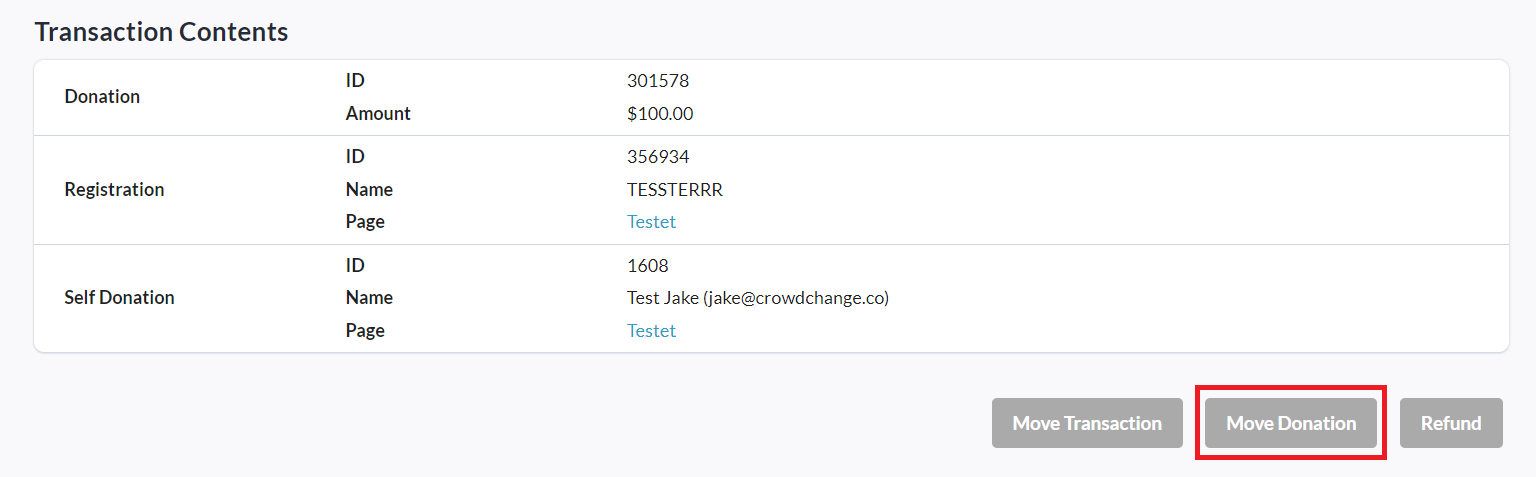
Scroll down and click Move Donation at the bottom of the page.
-
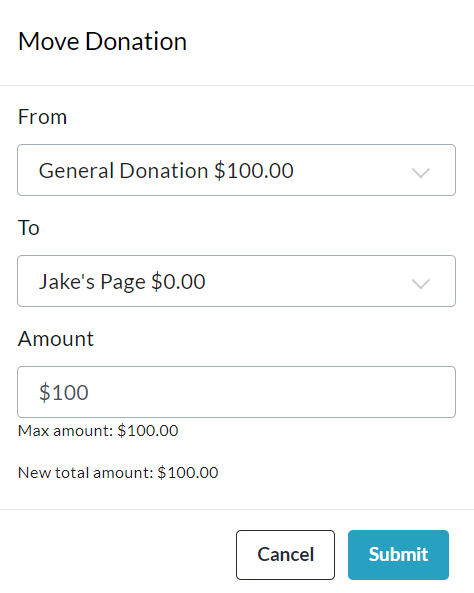
In the pop-up that appears, complete the From, To and Amount fields as desired.
-
Click Submit to confirm and move the donation.
The donation will now be shown on the registrant’s personal fundraising page as desired.
This process can also be performed in reverse to move a personal page donation to a general one.