
You can pin fundraisers to the Featured section at the top of your site’s homepage so they’re always in view!
To do so, just follow these steps:
-
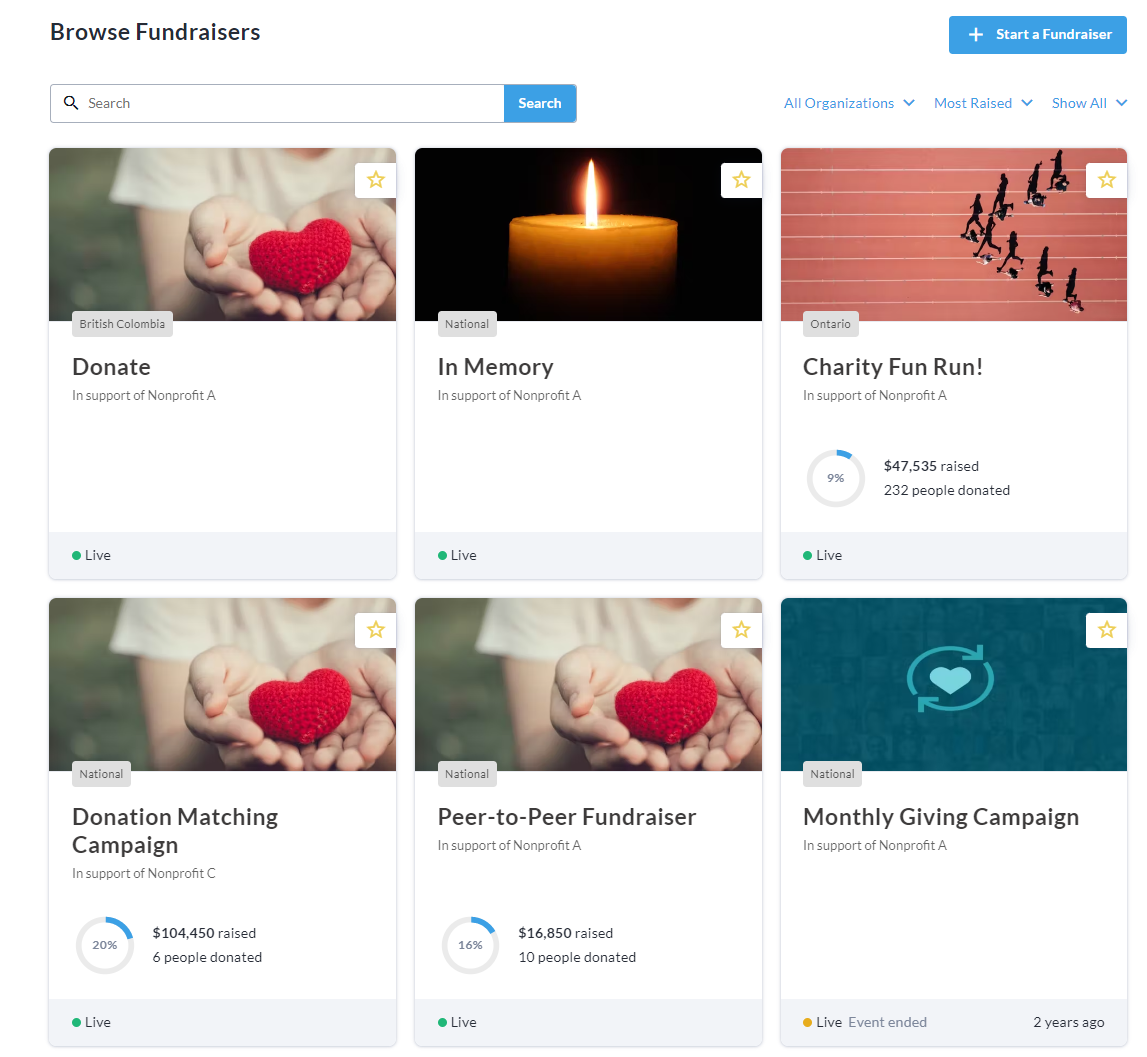
Go to the home page of your CrowdChange site. If you’ve already created some fundraisers, you’ll see them listed as below:
-
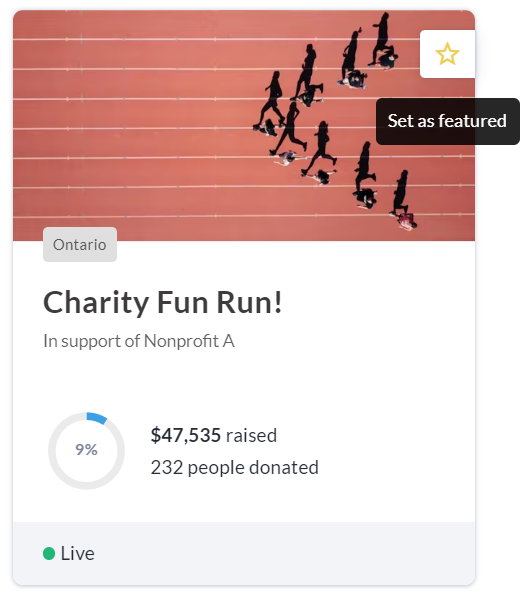
Hover over a fundraiser you would like to pin to the Featured section. A star icon is shown in the top right corner. Click it to set / pin the fundraiser as featured.
-
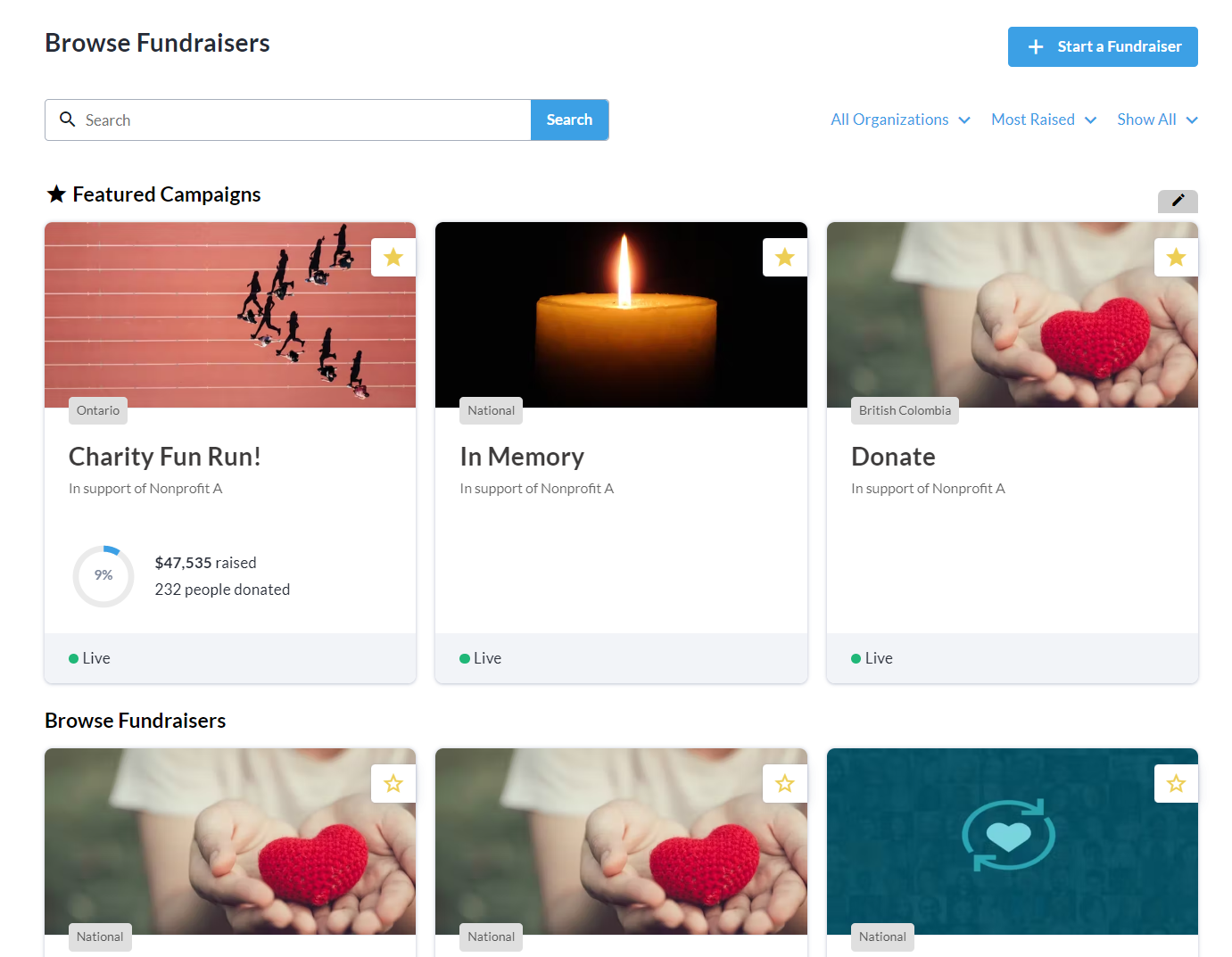
Fundraisers you star / pin will be placed at the top of the page in the Featured section
-
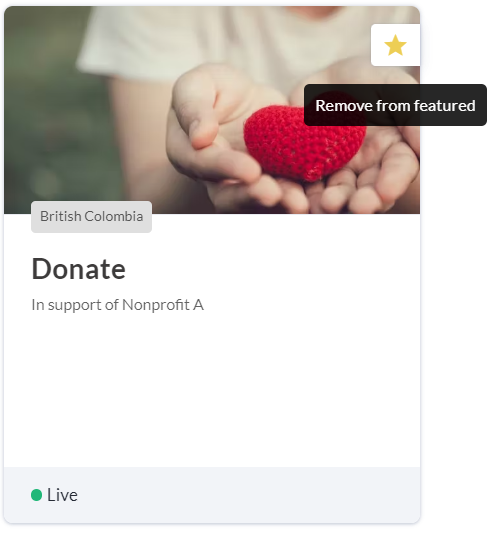
To remove a fundraiser from the Featured section, click the star icon again.
Please note that the Featured section is limited to 9 fundraisers.