
Need to refund a transaction? CrowdChange now provides the ability for Admins to issue Partial Refunds in addition to standard, full refunds. For example, you can refund 2 tickets only, out of a transaction of 5 tickets.
Partial Refunds are a convenient tool in situations where a donor or supporter requests a refund for a specific part of their transaction - Instead of having to refund the entire transaction and potentially lose that revenue (if they decide not to re-donate), you can simply refund the specific item they requested.
To issue a refund of either kind, follow these simple steps:
-
Go to your CrowdChange site and Log In.
-
Click Profile in in the top right corner, then Admin.
-
Go to Reports → Donations Report using the left sidebar.
-
Click on the transaction you would like to refund (fully or partially).
-
Click the grey Refund button in the bottom right corner of the transaction’s menu.
-
Check the box next to the items you would like to refund, and enter a comment, as shown below:
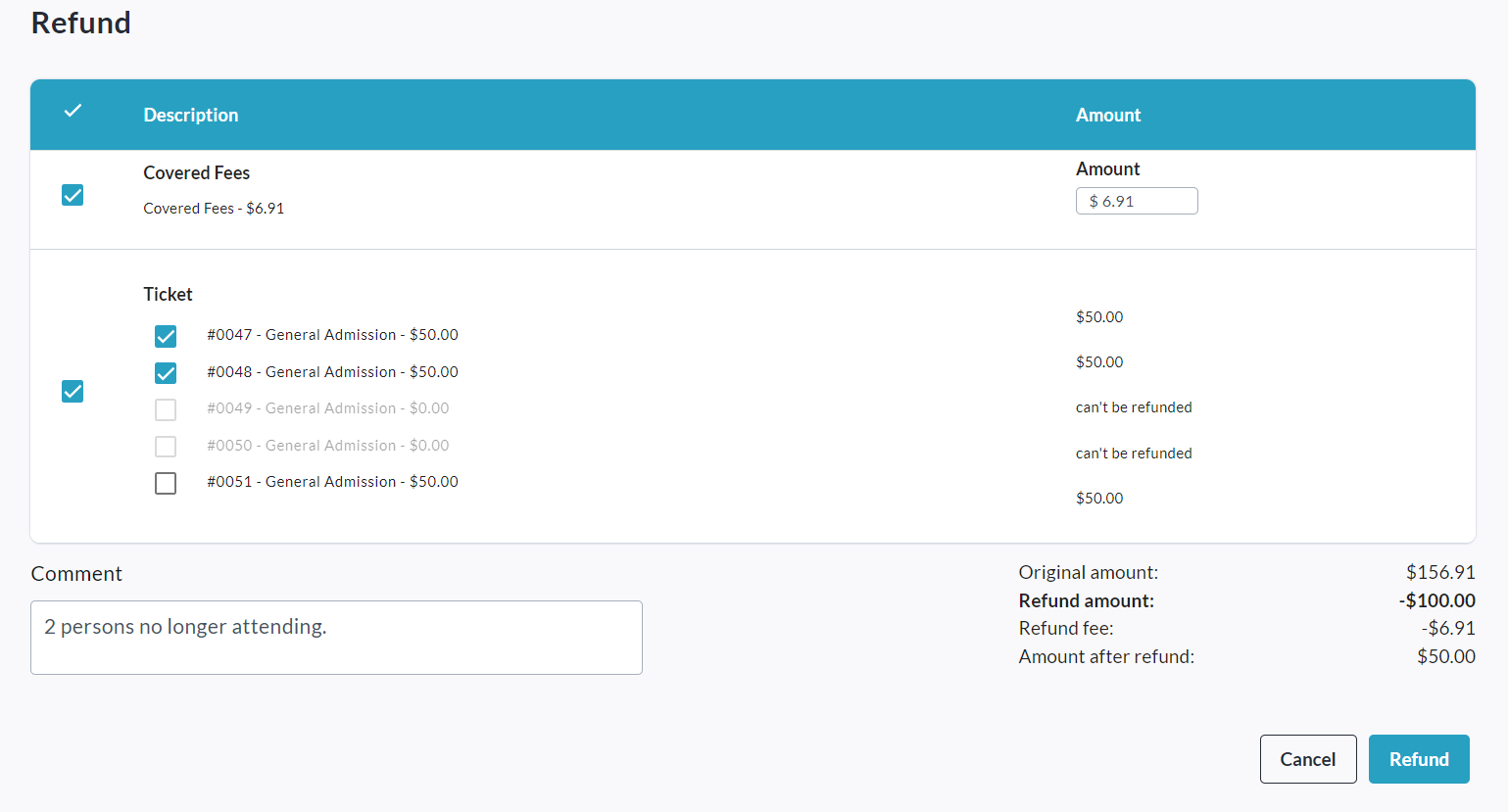
(Example partial refund of 2 tickets (and covered fees) from a 5 ticket transaction.) -
Click Refund in the bottom right corner to complete the refund process.
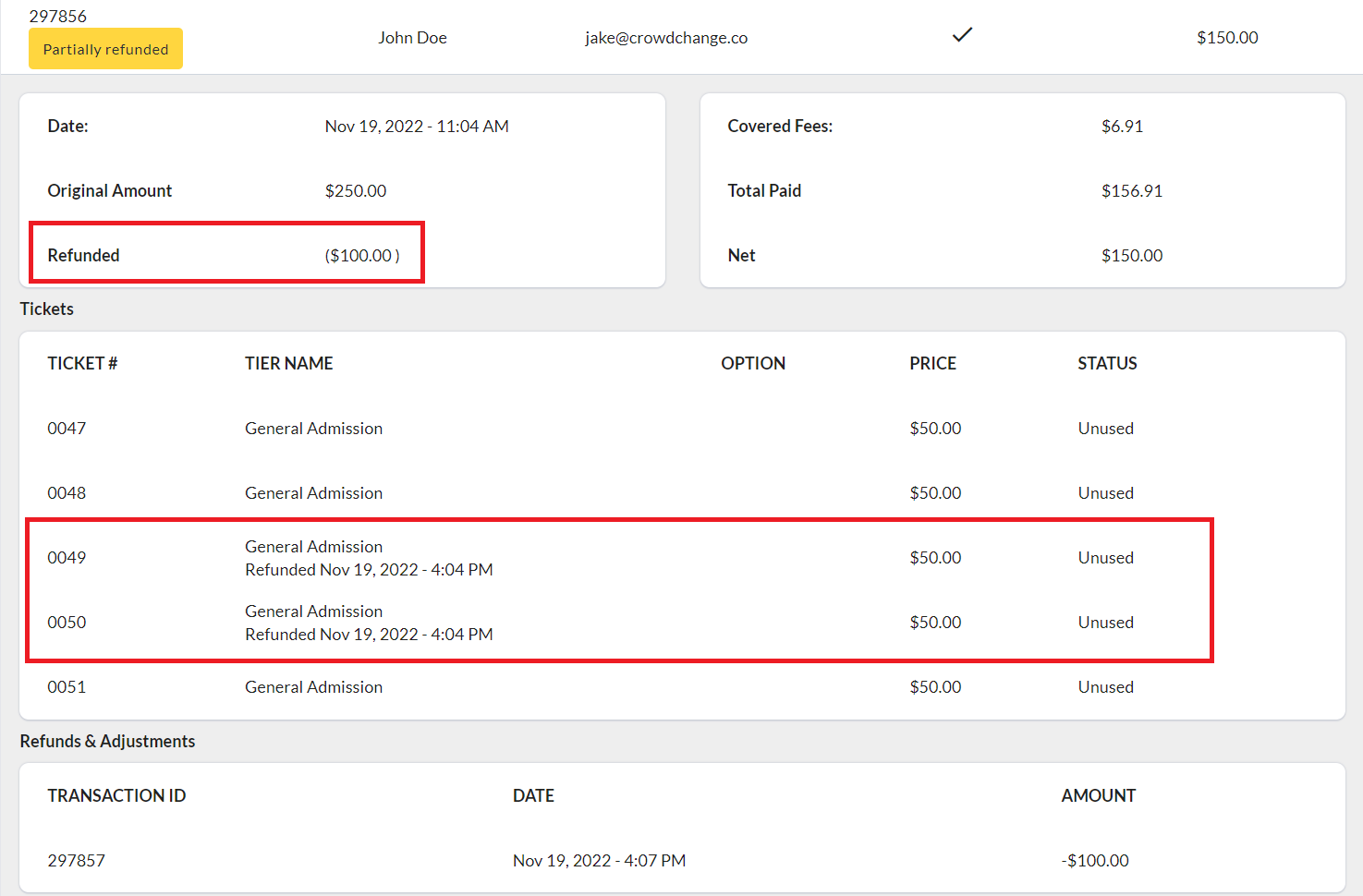
Please Note: Refunds will be listed separately in the Admin Donations Report, but transactions which have been partially refunded will also show this information within their transaction panel.
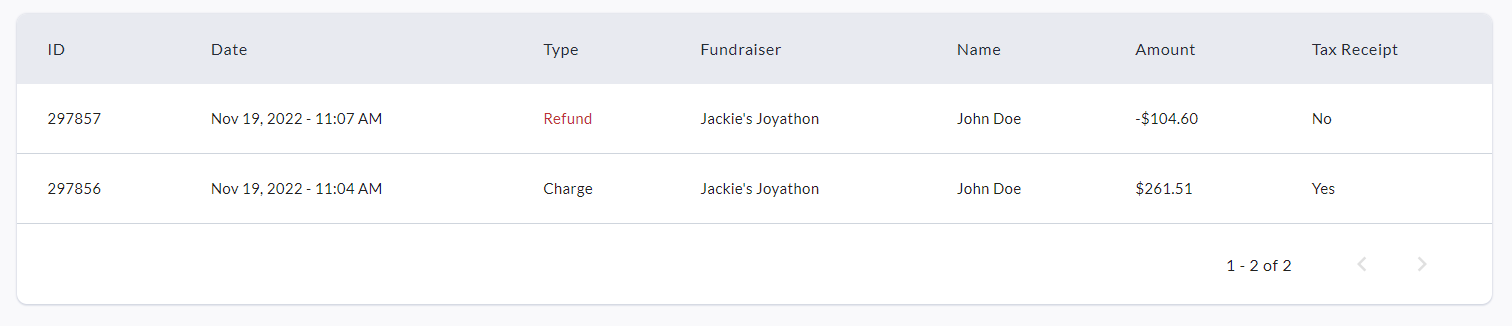

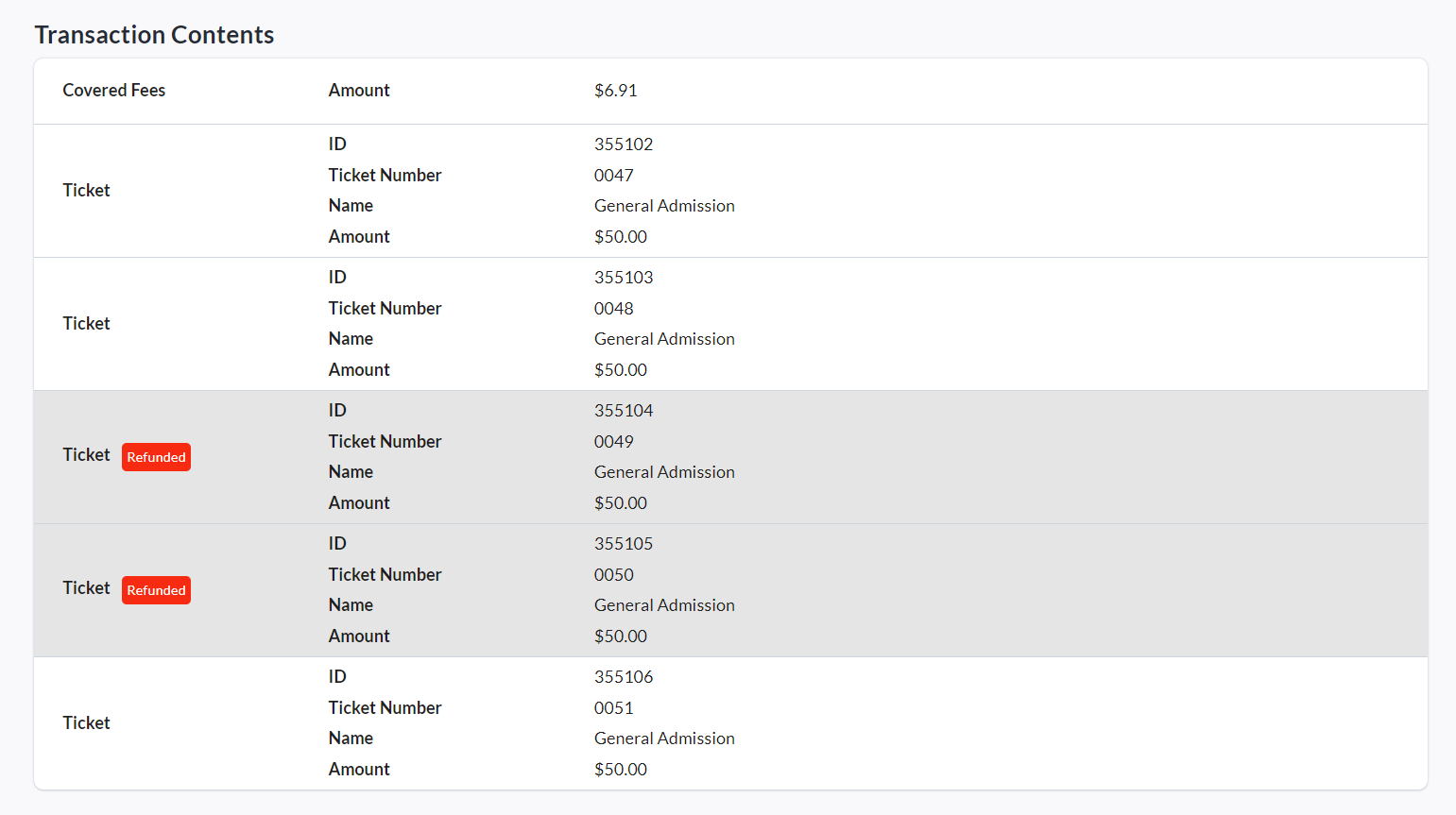
The Fundraiser-Level Donations Report will also show partial refunds within transactions.
Tax Receipts & Partial Refunds
See three examples below of how Tax Receipting interacts with Partial Refunds:
Example #1: Initial transaction of $50 includes a $15 donation, and a $35 registration purchase. The organization’s minimum donation amount for issuing a Tax Receipt is $20.
→ Therefore, a Tax Receipt for $50 is initially issued with this transaction.
→ An Admin user refunds the $35 registration tier, as the donor is no longer able to participate in the event. The donor receives a $35 refund, and the initial Tax Receipt is now void as the remaining $15 donation does not meet the organization’s minimum amount required to receive a receipt.
Example #2: Initial transaction of $100 includes a $50 donation, and a $50 ticket. The organization’s minimum donation amount for issuing a Tax Receipt is $20.
→ Therefore, a Tax Receipt for $100 is initially issued with this transaction.
→ An Admin user refunds the $50 ticket, as the donor is no longer able to attend this event. The donor receives a $50 refund, the initial Tax Receipt is voided and a new Tax Receipt is generated, then issued, to the donor for the new tax-eligible amount of $50.
Example #3: Initial transaction of $100 includes a $50 donation, and a $50 ticket which was not deemed tax eligible. The organization’s minimum donation amount for issuing a Tax Receipt is $20.
→ A Tax Receipt for $50 is initially issued with this transaction.
→ An Admin user refunds the $50 ticket, as the donor is no longer able to attend this event. The donor receives a $50 refund, and the initial Tax Receipt is unaffected as the ticket price was not originally part of the tax-eligible amount.