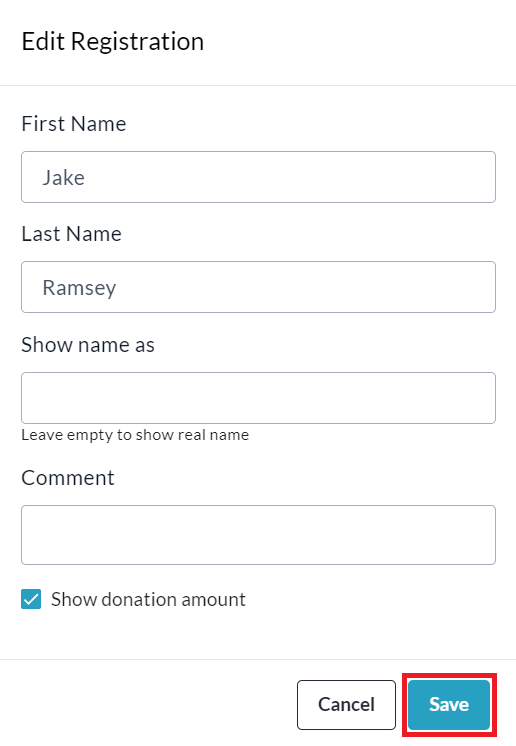
Admin Users on sites with our Multi-Registration feature enabled have the ability to change the name and display name (on the Donation List) of a registrant via the Admin Registration Report.
Please Note that changing the name (not display name) does not change the primary name attached to the registration itself (in the Registration Report under ‘Registrant’ column) - it only changes the user name field within the Excel version of the Report, and the name shown under ‘Transaction Contents > Self Donation’ within a transaction on the web version of the Admin Donations Report.
To make the change, feel free to follow the simple steps below:
-
Go to your CrowdChange site and Log In.
-
Click Profile in in the top right corner, then Admin.
-
Go to Reports > Registration Report using the left sidebar.
-
Search and/or Filter for the specific registration.
-
Click the Change button within a registration to edit the registrant details.

-
Enter the new or corrected name and display name, then click Save.