
For child sites (sub-sites) with Multi-Registration enabled, we provide some optional extra functionality, described below, to give added flexibility to registrants.
These features were built for large scale fundraising campaigns with many locations / branches. For example, a nation-wide event with satellite locations in all provinces or cities.
Please Note: These features are NOT enabled by default - Reach out to your Partner Success Representative today to discuss how they can benefit your campaign!
-
Cross Fundraiser Teams - This feature allows registrants to one fundraiser/location the option of joining a team from a different fundraiser/location. The registrant’s personal page will be created under the ‘Cross-Fundraiser Team’, allowing them to be registered in the initial fundraiser/location, but fundraise for a team in another location.
-
Cross Fundraiser Registration (Sub-Feature) - Cross-Fundraiser Teams must be enabled to use this sub-feature. This sub-feature adds the ability for registrants to change the fundraiser/location they are registering to during their registration. Any filled-in registration details would be removed and they would be redirected to register to the new fundraiser/location.
To use the Cross-Fundraiser Teams & Registration features, the following must be in place:
-
The site being used must be a child site (sub-site).
-
Multi-Registration must be enabled at the sub-site level.
-
Cross Fundraiser Teams & Cross Fundraiser Registration must be enabled at the sub-site level.
-
Multi-Registration must be enabled on the fundraiser(s) as detailed in this article.
Cross-Fundraiser Teams in Action
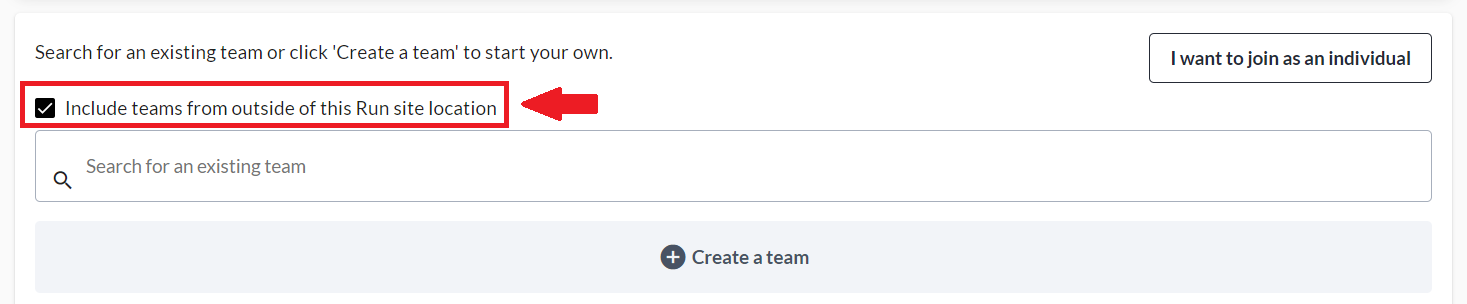
When registering to an event with both Multi-Registration and Cross-Fundraiser Teams enabled, you have the option of joining a team from a different fundraiser/location. Simply check the box highlighted below when joining a team. You can then search for a team on a different location, or scroll through the list.
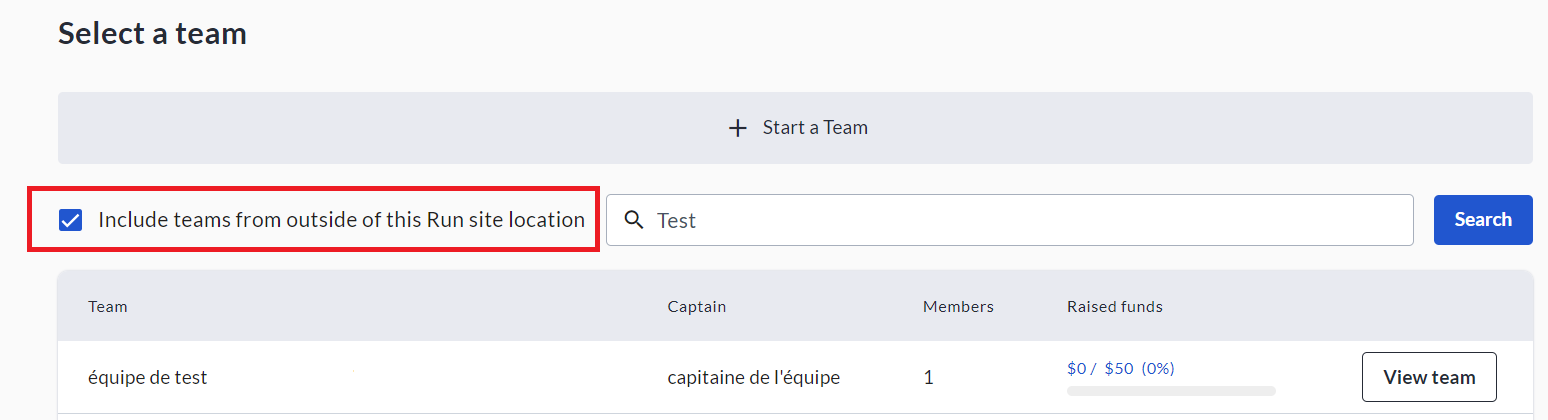
This option is also available from the ‘See All’ teams list on a fundraiser/location, as shown below:
Lastly, the option is also shown within the Edit menu of users' personal fundraising pages.
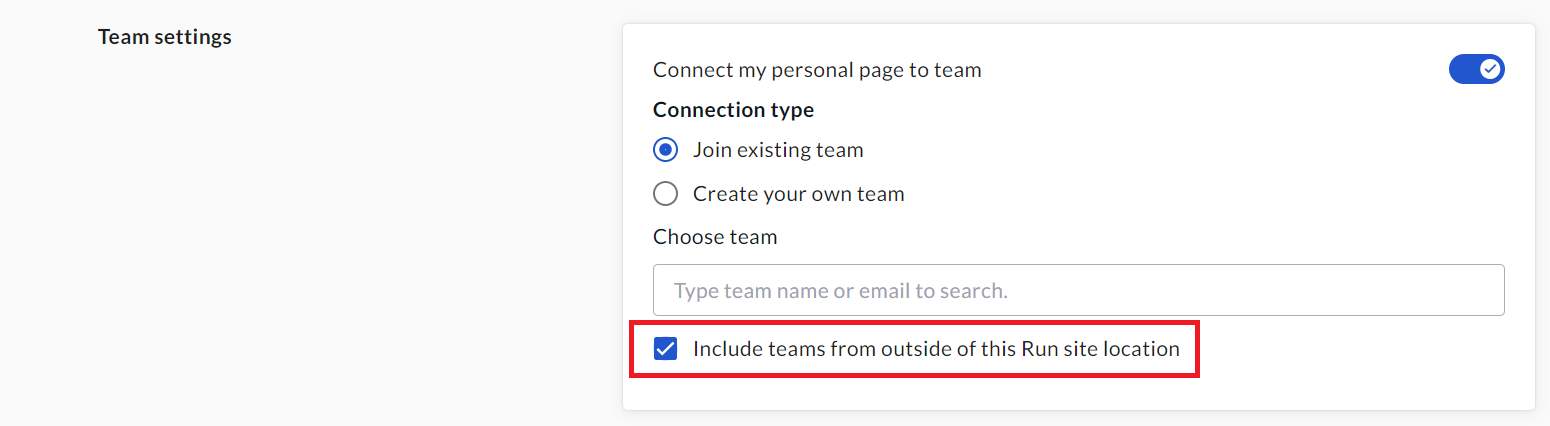
Please note that doing as shown above and changing the team a personal page is connected to - to a cross-fundraiser team - does not change (within Admin Reports) the location/fundraiser attached to the page owner’s registration nor the donations on their page. It is mainly a front-end change.
Cross-Fundraiser Registration in Action
When the Cross-Fundraiser Registration feature is enabled, registrants have the option of switching the location/fundraiser they are registering to during registration. They can do so via the ‘Change’ button highlighted below. Then they will be shown a list of the other locations/fundraisers to select from.

If they filled-in any registration details, these would be removed and they would be redirected to register again at the new fundraiser/location.